Breadcrumb: Aide › Scheduling
Schedule my own session
Book a one-off session with one of your learners from the mobile app, without waiting for your BCBA.
Applies toAide
Your BCBA usually schedules your sessions, but you can also book one yourself. You pick one of your learners, a day, a start time and a length, and the session is added to your list, assigned to you and linked to the learner's active treatment plan. This works only in the mobile app.
Before you start
- You can book sessions only for learners assigned to you, and only when the learner has an active treatment plan.
- The start must be between today and one month from now.
- ABACare does not check your availability, and it does not stop you from booking two of your learners at the same time. Check your own list first.
Book the session
Start from the home screen.
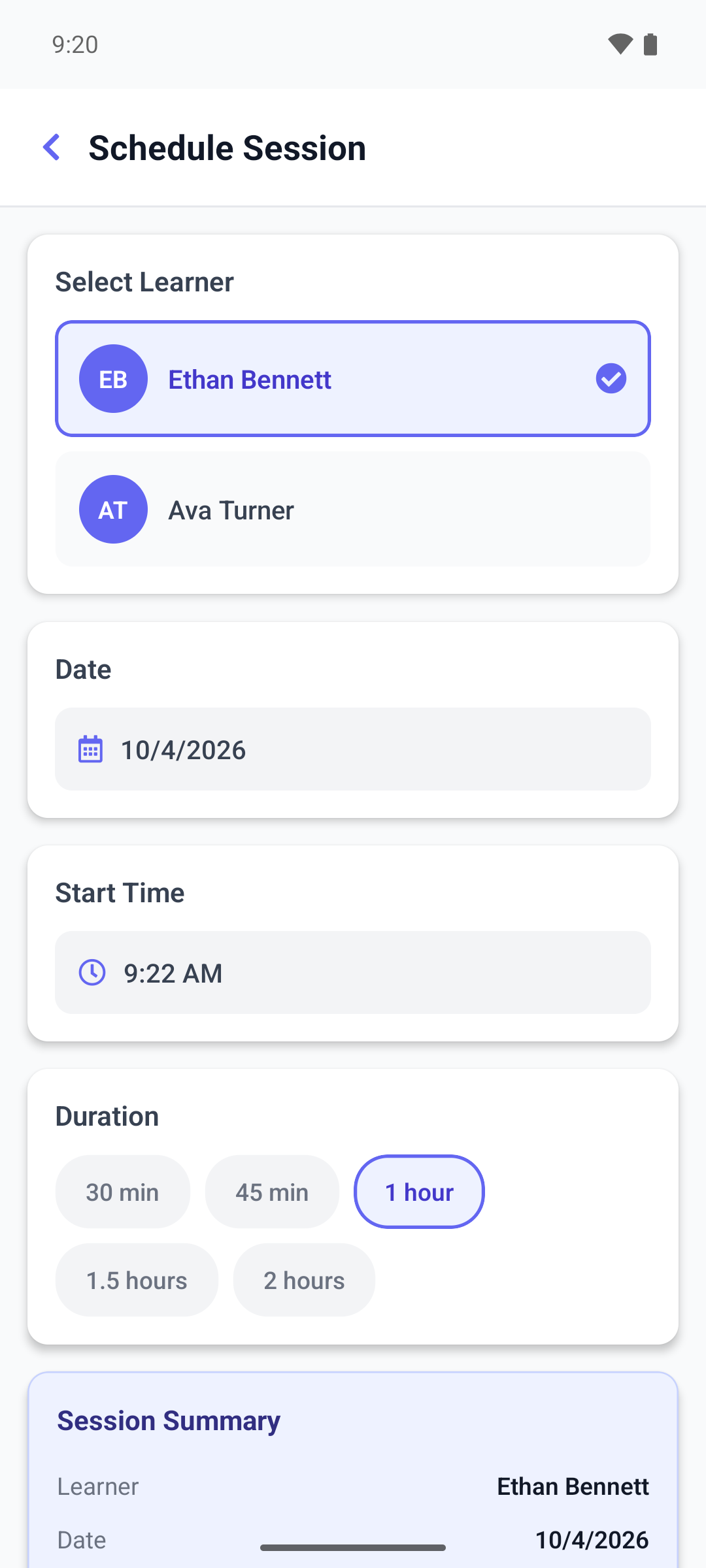
- Tap the My Sessions card, then + at the bottom right. Schedule Session opens.
- Under Select Learner, tap the learner. With more than five learners, search by name.
- Set the Date and the Start Time. They start at today's date and the current time.
- Under Duration, tap 30 min, 45 min, 1 hour, 1.5 hours or 2 hours.
- Check the Session Summary card, then tap Schedule Session.
- Confirm with OK. The confirmation buttons are in English in every language.
The app shows Session scheduled successfully and takes you back to your sessions.
To give up, tap Cancel or the back arrow. The app does not ask before it throws away what you entered.
If the session is not booked
The form stays filled in, so you can change it and try again.
- No active treatment plan found for this learner: the learner has no active plan yet. Ask your BCBA.
- You are not assigned to this learner: you are no longer assigned to this learner.
- Learner already has a session from to on this date: the learner already has a session that overlaps, with you or with someone else. The message does not show the times. Pick another time.
- Failed to schedule session. Please try again. covers everything else, for example a date more than a month ahead, or a start later in the day than now on the last day you can book.
What happens next
- The new session is Scheduled and assigned to you. It appears under Today or Upcoming in My Sessions.
- Your BCBA and your clinic see it in their calendar like any other session.
- The session has no mandatory targets. You choose the targets when you start it.